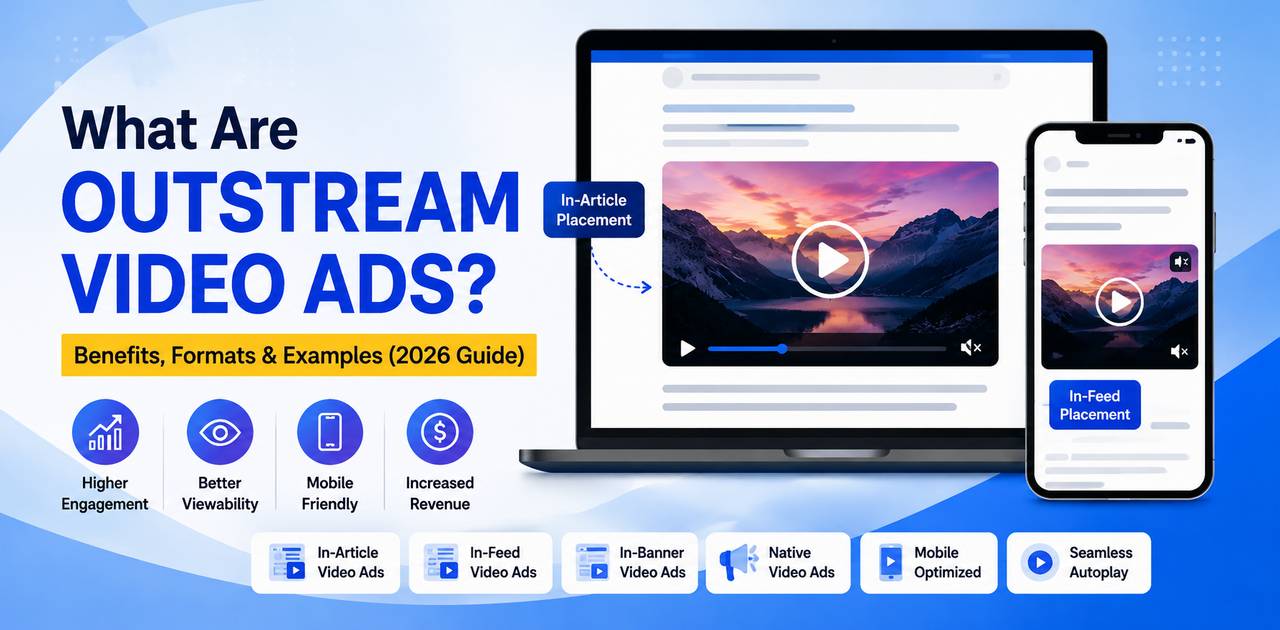
If you’ve ever scrolled through a news article and had a video start playing right inside the text — without ever clicking play on a YouTube clip — you’ve already encountered outstream video ads. So, what are outstream video ads exactly? They’re video ad units that run outside of traditional video players, embedded directly into articles, social feeds, and other non-video web pages.
For publishers who don’t produce video content but still want to tap into video ad revenue, outstream advertising has quietly become one of the fastest-growing formats in digital advertising. In this guide, we’ll break down how outstream video ads work, the formats you’ll see in the wild, their real benefits, and practical examples you can learn from in 2026.
Advertiser budgets have been shifting toward video for years, but most of that spend used to be locked behind video-heavy platforms and streaming inventory. Outstream video advertising changed that equation. It let any content site — regardless of whether it ever produced a single video — compete for the same video budgets that once flowed exclusively to instream players and connected TV. That shift is a big part of why outstream video ads have become a standard line item in most publisher monetization stacks today.
Table of Contents
- What Are Outstream Video Ads?
- How Outstream Video Ads Work
- Types of Outstream Video Ads
- Benefits of Outstream Video Ads
- Outstream Video Ads vs Instream Video Ads
- Best Use Cases for Outstream Advertising
- Real-World Examples
- Best Practices for Outstream Video Ads
- Common Mistakes to Avoid
- Future Trends in Outstream Video Advertising
- Frequently Asked Questions
- Conclusion
What Are Outstream Video Ads?
Outstream video ads are video advertisements that appear outside of a dedicated video player, embedded directly within web page content such as articles, image galleries, or social feeds. Unlike traditional video ads, they don’t need an existing video to attach to — the ad itself becomes the content.
Most outstream units play automatically, muted, once a certain percentage of the ad enters the viewer’s screen. The viewer can tap to unmute, scroll past to pause, or simply keep reading while the ad plays quietly in the background.
This is the core idea behind outstream video advertising: it brings video monetization to publishers whose sites are built around text and images rather than video libraries. A recipe blog, a finance news site, or an e-commerce category page can all run outstream ads without hosting a single video of their own.
It’s also worth noting what outstream is not. It isn’t a pop-up, and it isn’t an autoplay video that blasts sound the moment a page loads. Those older, intrusive formats damaged trust in video ads generally, which is exactly why modern outstream units are built around muted-by-default playback and viewability requirements — they’re designed to earn attention rather than force it.
How Outstream Video Ads Work
Outstream ad units rely on three technical pillars: viewability detection, adaptive placement, and programmatic delivery.
1. Viewability Triggers
The ad unit sits inline in the page’s HTML but stays dormant until it becomes visible. Most demand-side platforms follow the Media Rating Council’s viewability standard — at least 50% of the ad’s pixels in view for a minimum of two seconds — before counting an impression or starting playback.
2. Adaptive Container Placement
Publishers insert an outstream ad container into their page templates — between paragraphs, inside a content feed, or as a sticky unit in a corner of the screen. The container resizes itself to match the surrounding layout, which is part of why outstream ads feel more native than a pop-up.
3. Programmatic Delivery
Once the placement is live, demand is filled through programmatic video advertising — real-time auctions where advertisers bid for the impression. Standards published by IAB Tech Lab and specifications documented in Google Ad Manager’s help center define how these video creatives are served, tracked, and measured across the outstream ecosystem.
In practice, the whole sequence happens in a fraction of a second: the page loads, the ad container reserves its space, and as soon as the viewability threshold is crossed, an auction runs, a creative is served, and playback begins — all before the reader has finished scrolling past the unit.
Types of Outstream Video Ads
Outstream isn’t a single format — it’s a category with several distinct executions. Here are the ones you’ll run into most often:
- In-Article (In-Read): The most common format. The video sits between paragraphs and plays as the reader scrolls to it, then pauses once they scroll past.
- In-Feed: Common on social platforms and content discovery widgets, where the ad appears as a card within a scrollable feed of articles or posts.
- Interstitial: A full-screen video that appears between content transitions, such as when a reader moves from one article page to the next.
- In-Banner Video: A video that plays inside what would traditionally be a static display banner slot, converting existing display video ads inventory into video without extra page real estate.
- Sticky/Floating: The video shrinks into a small, persistent corner unit as the user scrolls further down the page, staying visible without blocking the reading experience.
Each of these formats can be enhanced with clickable overlays, end cards, or interactive elements. Publishers exploring richer creative options often pair outstream inventory with broader interactive ad formats to give advertisers more ways to capture attention beyond a simple video loop.
Choosing between these formats usually comes down to page layout and reader behavior. In-article works best on long-form content with clear scroll pauses. In-feed suits sites built around card-style browsing, like discovery widgets or social-style feeds. Interstitials fit naturally between page transitions, such as moving from one gallery slide to the next. And sticky units make sense on pages where readers tend to scroll for a long time, like live blogs or long-form features, since the ad stays in view without needing to be re-triggered.
Benefits of Outstream Video Ads
It’s easy to see why outstream advertising has become a staple in publisher monetization strategies. Here’s what makes it worth adopting:
- New revenue without new content: Publishers can monetize with video ad revenue even if they never produce a single video themselves.
- Higher CPMs than standard display: Video formats typically attract stronger advertiser demand than static banners, which can lift overall page RPMs.
- Strong viewability by design: Because playback depends on the ad actually being visible, outstream units naturally report higher viewability than many legacy display formats.
- Scales across nearly any page: In-article and in-feed placements can run on almost any content page, dramatically expanding available video ad revenue inventory.
- Mobile-friendly by default: Outstream units are built to adapt to smaller screens, making them a natural fit for mobile video ads and vertical scrolling behavior.
- Non-disruptive user experience: Muted autoplay and scroll-based triggers make outstream feel less intrusive than a forced pre-roll.
Many of these benefits compound when publishers layer in richer creative experiences. For example, adding clickable product carousels or quizzes to a video unit — a form of interactive advertising — can push engagement even higher without changing the underlying outstream placement.
Outstream Video Ads vs Instream Video Ads
The most common point of confusion for publishers new to video is instream vs outstream ads, and the distinction really comes down to where the ad lives and what it depends on.
| Factor | Instream Video Ads | Outstream Video Ads |
| Placement | Runs inside video players (pre-roll, mid-roll, post-roll) | Runs inside articles, feeds, or non-video content |
| Content dependency | Requires existing video content on the page | Works on any page, video or not |
| Autoplay behavior | Usually starts with the main video | Triggers on scroll or viewability |
| Publisher fit | Best for video-first publishers | Best for text-first publishers (news, blogs) |
| User experience | Can feel like a traditional TV-style ad break | Blends into the page layout |
| Inventory scale | Limited to available video slots | Nearly unlimited across content pages |
In short: instream video ads need a video player and existing video content to attach to. Outstream video ads need neither — they create their own video moment wherever they’re placed.
Best Use Cases for Outstream Advertising
Outstream video advertising isn’t right for every single placement, but it tends to perform best in these scenarios:
- News and editorial sites: Long-form articles offer natural scroll points for in-article video.
- Blogs and content publishers: Sites without a video library can still capture video advertising budgets.
- E-commerce category and product pages: Video product demos can be inserted as outstream units without disrupting the shopping flow.
- Mobile-first publications: The scroll-triggered nature of outstream fits naturally with mobile browsing habits.
- Social feeds and content discovery widgets: In-feed outstream blends into the native scrolling experience.
- Video-averse but content-rich niches: Legal, financial, and B2B publishers that would never build a full video studio can still add a video revenue line through outstream placements.
Publishers weighing whether to invest in outstream or build out video content for instream inventory should compare both paths directly — see this detailed instream video ads vs outstream video ads comparison for a deeper breakdown of which fits a given content strategy.
A useful way to think about it: if your traffic is already reading rather than watching, outstream meets readers where they already are instead of asking them to change behavior. That’s a big reason outstream video advertising has spread so quickly across news, finance, and lifestyle publishers whose core audience has never been a video-first one.
Real-World Examples
A few practical examples make outstream advertising easier to picture:
- A regional news outlet embeds a 15-second muted video ad between the third and fourth paragraphs of every article, generating incremental video ad revenue without adding a single video story to its editorial calendar.
- A recipe blog runs an in-feed outstream unit inside its related-recipes carousel, where the video plays as readers browse suggested content at the bottom of the page.
- An online retailer uses in-banner outstream video to turn a previously static sidebar banner into a short product showcase, lifting click-through rate on that placement.
- A sports media site uses a sticky, floating outstream unit that follows the reader down long match-recap articles, keeping the ad in view without covering the text.
Some publishers go a step further and combine these placements with interactive ad formats, such as adding a poll or shoppable overlay to the video, which tends to extend average time spent with the creative.
What ties these examples together is that none of them required the publisher to build a video content operation from scratch. The video ad unit itself did the work — the news outlet, the recipe blog, and the retailer all monetized existing traffic patterns rather than trying to redirect readers toward a separate video section of the site.
Best Practices for Outstream Video Ads
- Keep creatives short: 6 to 15 seconds performs best for scroll-triggered placements, since most viewers won’t linger long.
- Design for sound-off viewing: Use captions, text overlays, or visual storytelling since most viewers never unmute.
- Limit placement frequency: Avoid stacking multiple outstream units too close together on the same page, which hurts both user experience and viewability.
- Test placement position: In-article units near natural scroll pauses often outperform units placed too early or too late on the page.
- Monitor viewability reporting: Align measurement with recognized industry standards for video ad serving and viewability.
A Note on Standards
Because outstream inventory is traded programmatically, it’s worth aligning creative specs and measurement with recognized bodies like the Interactive Advertising Bureau (IAB) and IAB Tech Lab, which publish guidelines covering ad sizing, viewability, and video ad serving templates used across the programmatic advertising ecosystem.
Publishers looking to differentiate their outstream inventory can also experiment with interactive advertising elements layered on top of the base video, giving advertisers a reason to pay a premium over a plain, static clip.
Common Mistakes to Avoid
- Overloading a single page with too many outstream units, which tanks both viewability and user experience.
- Ignoring load time: heavy video files slow down page speed and hurt both SEO and ad performance.
- Skipping mobile testing: a placement that looks fine on desktop can break layout on smaller screens.
- Failing to cap frequency, leading to the same viewer seeing the same ad repeatedly in one session.
- Treating outstream as “set and forget” instead of monitoring fill rate, CPMs, and viewability on an ongoing basis.
Each of these mistakes tends to compound the others. A page overloaded with video units, for instance, almost always also has slower load times, which then drags down viewability scores, which then drags down the CPMs advertisers are willing to pay. Treating placement, speed, and frequency as one connected system — rather than three separate checklists — is usually what separates publishers who see steady video ad revenue from those who see it plateau after an initial launch.
Quick Health Check for Existing Placements
If outstream units are already live on a site, a short audit can catch most of the mistakes above:
- Pull a viewability report by placement and flag anything below 60–70%.
- Check average page load time before and after the outstream tag was added.
- Review session-level frequency to confirm no single visitor sees the same creative more than two or three times.
- Test every placement on at least one mid-range Android device and one iPhone, not just desktop Chrome.
Future Trends in Outstream Video Advertising
Outstream advertising keeps evolving alongside broader shifts in online video advertising. A few trends worth watching heading further into 2026:
None of these trends replace the fundamentals covered in this guide — they build on them. A shoppable outstream unit still needs to respect viewability rules and mobile-first design; a contextually targeted placement still needs a clean, native-feeling container. The publishers who get the most out of outstream video advertising over the next few years will likely be the ones who nail the basics first, then layer trends on top.
- Greater use of native video advertising formats that blend even more seamlessly into editorial layouts.
- Expansion of shoppable video, where outstream units let viewers purchase directly from the ad unit.
- Tighter integration with contextual and first-party data targeting as third-party cookies continue to phase out.
- Rising demand for richer, more engaging creative — pushing outstream closer to full-fledged interactive video experiences rather than passive clips.
As advertisers keep raising the bar on engagement, more outstream campaigns are expected to borrow directly from the interactive ad formats playbook, layering polls, product carousels, and calculators on top of standard video creative.
Frequently Asked Questions
These are the questions publishers and advertisers ask most often once they start exploring outstream video advertising as part of their monetization or media mix.
Are outstream video ads effective?
Yes. Because they only count as a view when a user actually sees the ad, outstream video ads tend to deliver strong viewability rates and solid engagement, especially on mobile devices where scrolling naturally triggers playback.
Do outstream ads have sound?
Outstream video ads almost always start muted and rely on the viewer to tap or hover to unmute. This design choice respects the browsing experience and avoids the jarring effect of sudden audio.
What is the difference between outstream and instream video ads?
Instream ads play before, during, or after existing video content, while outstream ads are inserted into non-video environments like articles or social feeds. Outstream advertising doesn’t require the publisher to host video content at all.
Which websites use outstream video ads?
News sites, blogs, e-commerce pages, and content-heavy publishers commonly use outstream video ads to monetize pages that don’t have native video content.
Is outstream video advertising good for publisher monetization?
Outstream advertising is one of the more reliable ways to add video ad revenue without producing video content, making it popular among publishers who want to diversify beyond standard display banners.
What triggers an outstream video ad to play?
Most outstream units use viewability triggers, meaning the video begins playing once a set percentage of the ad unit enters the visible portion of the screen, typically as the user scrolls.
Are outstream ads more expensive than display ads?
Outstream video ads generally command higher CPMs than standard display banners because video formats attract stronger advertiser demand and typically produce better engagement metrics.
Can outstream ads run programmatically?
Yes. Outstream inventory is widely available through programmatic video advertising channels, including private marketplaces and open auctions managed through platforms like Google Ad Manager.
What is in-article outstream advertising?
In-article outstream ads are embedded directly between paragraphs of text, playing automatically as the reader scrolls past, which is one of the most common outstream formats used by publishers.
Do outstream video ads work on mobile?
Outstream video ads are particularly well suited to mobile video ads because they don’t rely on a dedicated video player and adapt naturally to smaller screens and vertical scrolling behavior.
Conclusion
Performoo, So, what are outstream video ads at the end of the day? They’re one of the most practical ways for publishers to add video ad revenue to their sites without producing a single piece of video content. By embedding video directly into articles, feeds, and other non-video pages, outstream advertising opens up nearly unlimited inventory, strong viewability, and mobile-friendly performance.
Whether you’re running in-article units on a news site or testing sticky outstream placements on a blog, the format rewards publishers who follow best practices around creative length, frequency capping, and placement testing.
If you’re deciding between building out instream inventory or scaling outstream placements, it’s worth reviewing this instream vs outstream ads comparison to map out the right mix for your site. And if you want to push engagement even further, explore how interactive advertising formats can turn a standard outstream video into a richer, more memorable experience for your audience.